How to Upgrade or Downgrade Your ServerPrism Plan
Upgrading or downgrading your ServerPrism plan is quick and can be done directly from your server panel. Follow the steps below.
How to Upgrade or Downgrade Your ServerPrism Plan
Upgrading or downgrading your ServerPrism plan is quick and can be done directly from your server panel. Follow the steps below.
Step 1: Open Your Server
Log in to your ServerPrism panel and select the server you would like to upgrade or downgrade.
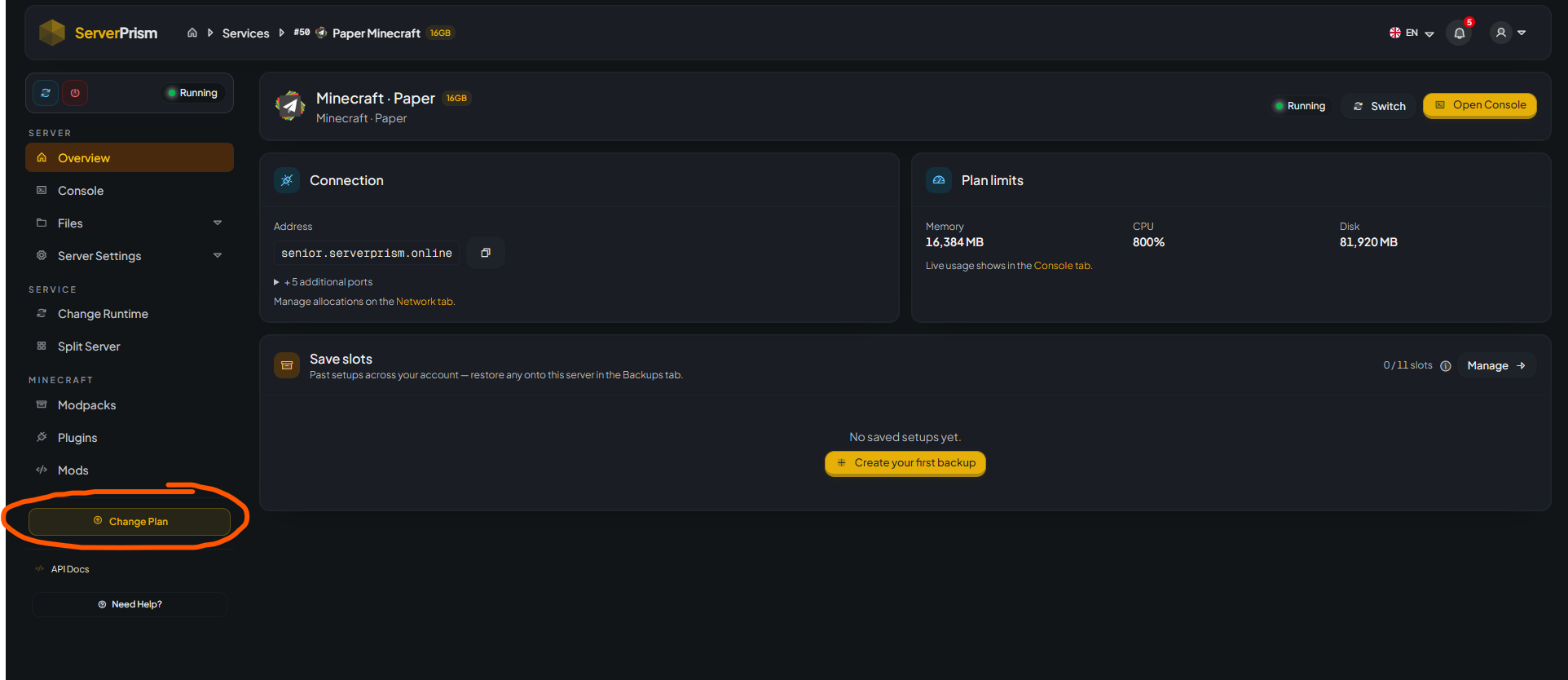
You will be taken to the server overview page where you can see your current plan resources, including:
- Memory (RAM)
- CPU Allocation
- Disk Space
Step 2: Click "Change Plan"
On the left-hand navigation menu, click the yellow "Change Plan" button located near the bottom of the page.
Step 3: Select Your New Plan
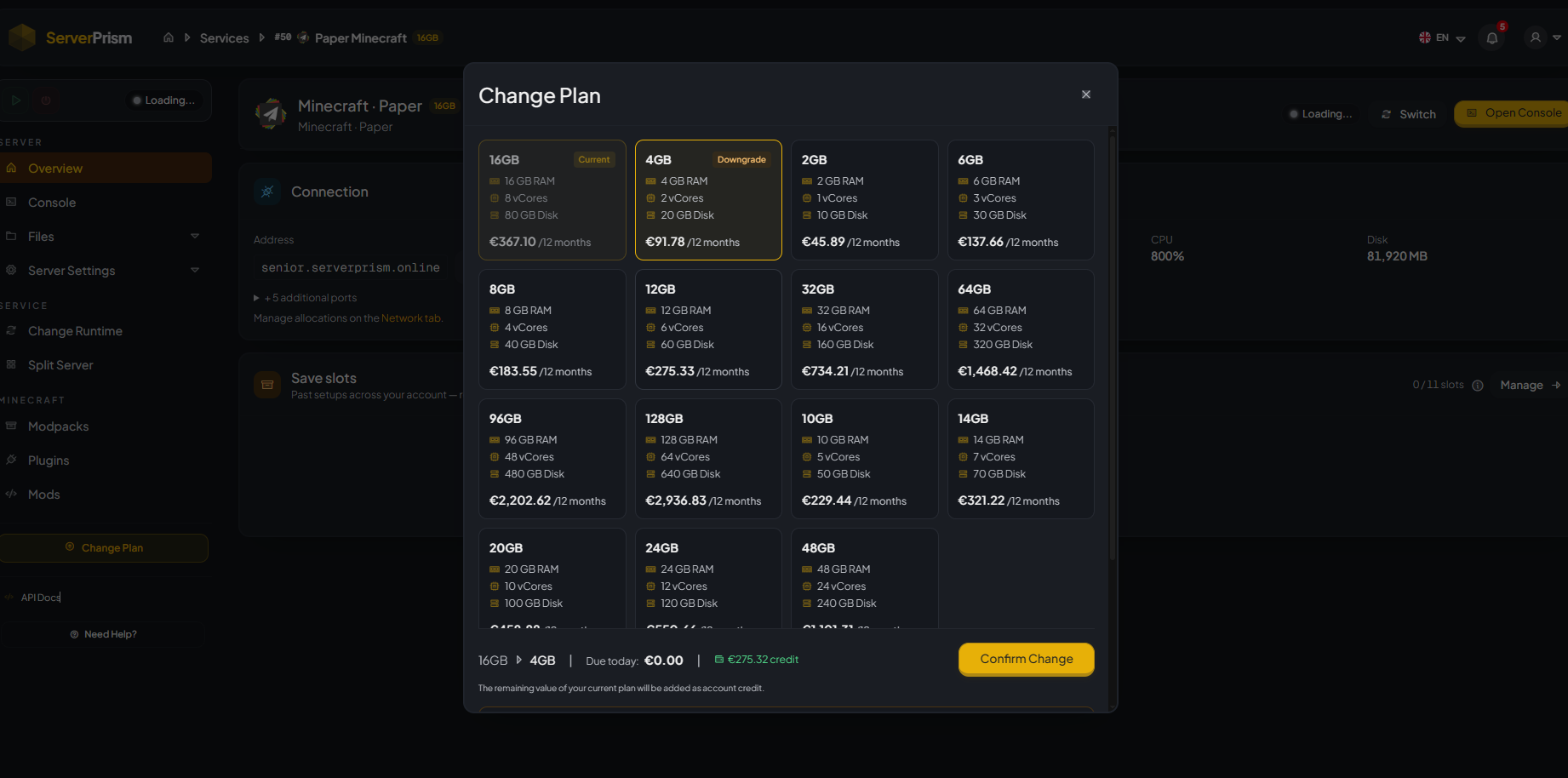
A "Change Plan" window will appear displaying all available plans.
Each plan shows:
- RAM allocation
- CPU cores
- Storage capacity
- Pricing information
You can select either:
- A larger plan to upgrade resources
- A smaller plan to downgrade resources
Your currently active plan will be marked as "Current".
Step 4: Review the Changes
Before confirming, review:
- New RAM allocation
- CPU core count
- Storage amount
- Any credit or charges that will be applied
If you are downgrading, any unused value from your current plan may be credited to your account according to your billing cycle.
Step 5: Confirm the Change
Once you've selected the desired plan, click the "Confirm Change" button.
The system will automatically process the upgrade or downgrade request.
Step 6: Wait for the Update
The plan change usually completes within a few moments.
After completion:
- Your new resource limits will appear in the Overview page.
- The server may restart automatically depending on the change being applied.
- Verify that your server starts successfully after the update.
Important Notes
- Always create a backup before making major changes to your server.
- Ensure your selected plan has sufficient resources for your server's player count, plugins, and mods.
- Downgrading to a plan with insufficient resources may cause performance issues.
- If you experience any issues after changing plans, open a support ticket and our team will be happy to assist.
Need Help?
If you're unsure which plan is best for your server, contact the ServerPrism support team with:
- Game type
- Expected player count
- Plugin/mod list
- Current performance issues
We'll help you choose the most suitable plan for your needs.