How to Cancel Your ServerPrism Server
If you no longer need your ServerPrism server, you can cancel it directly from your server panel in just a few clicks. Before cancelling, make sure to download any backups or files you want to keep, as your server may no longer be accessible after the cancellation is processed.
Step 1: Open Your Server
Log in to your ServerPrism panel and select the server you want to cancel.
From the server overview page, you'll be able to access your server's settings and management options.
Step 2: Open "Change Plan"
In the left-hand navigation menu, click the yellow Change Plan button.
This opens the plan management window, where you can upgrade, downgrade, or cancel your service.
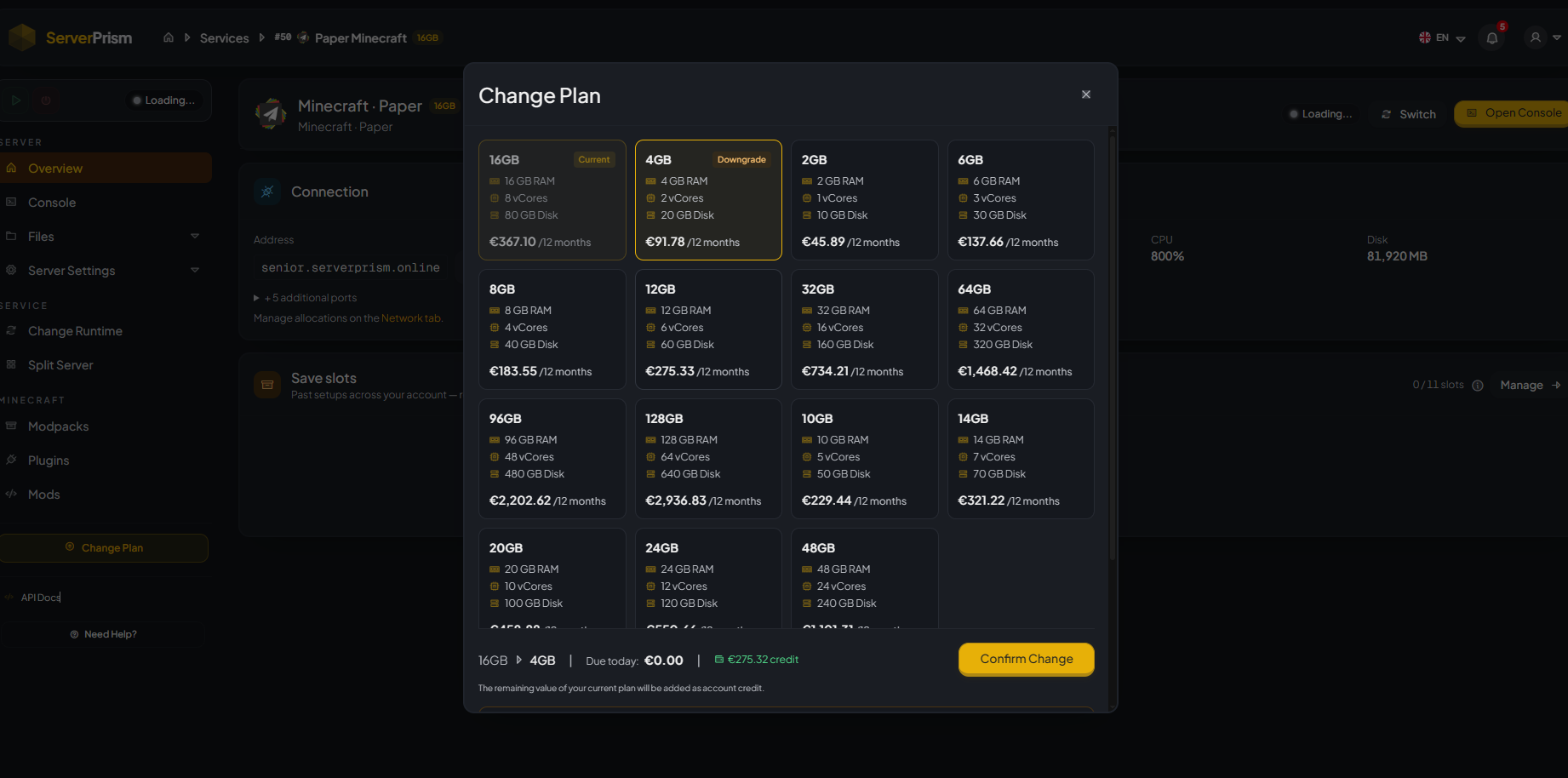
Step 3: Scroll to "Or Cancel Service"
Inside the Change Plan window, scroll all the way to the bottom.
You'll find an Or Cancel Service option below the available plans.
Click it to continue with the cancellation process.

Step 4: Confirm the Cancellation
A confirmation window will appear with optional offers, such as:
- Pausing your server for a reduced monthly price.
- Accepting a discounted price to keep your current service.
If you still want to cancel, click No thanks, I still want to cancel.
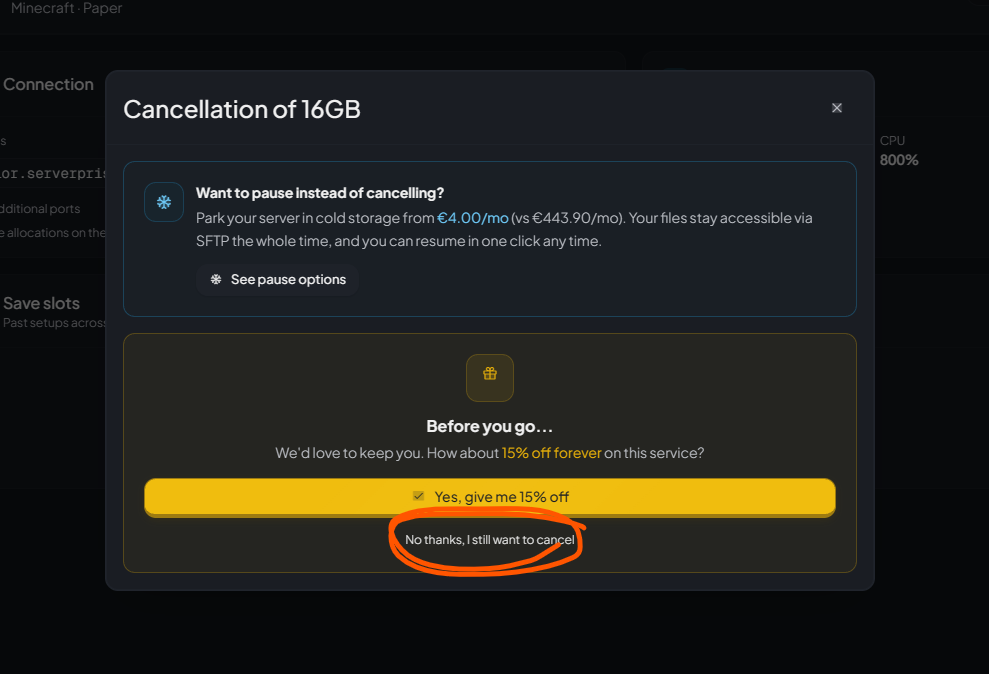
This confirms that you want to proceed with cancelling your server instead of accepting one of the available offers.
Step 5: Cancellation Complete
After confirming, your cancellation request will be processed automatically.
Once completed:
- Your service will be scheduled for cancellation according to your billing cycle.
- Future renewals for the service will stop.
- You should download any important files or backups before your service expires.
Important Notes
-
Download any backups or world files before cancelling.
-
If you think you'll return later, the Pause option can be a good alternative, as it keeps your files accessible through SFTP while reducing the monthly cost.
-
If you accidentally cancel your server or need assistance, contact the ServerPrism Support Team as soon as possible.